
Locations
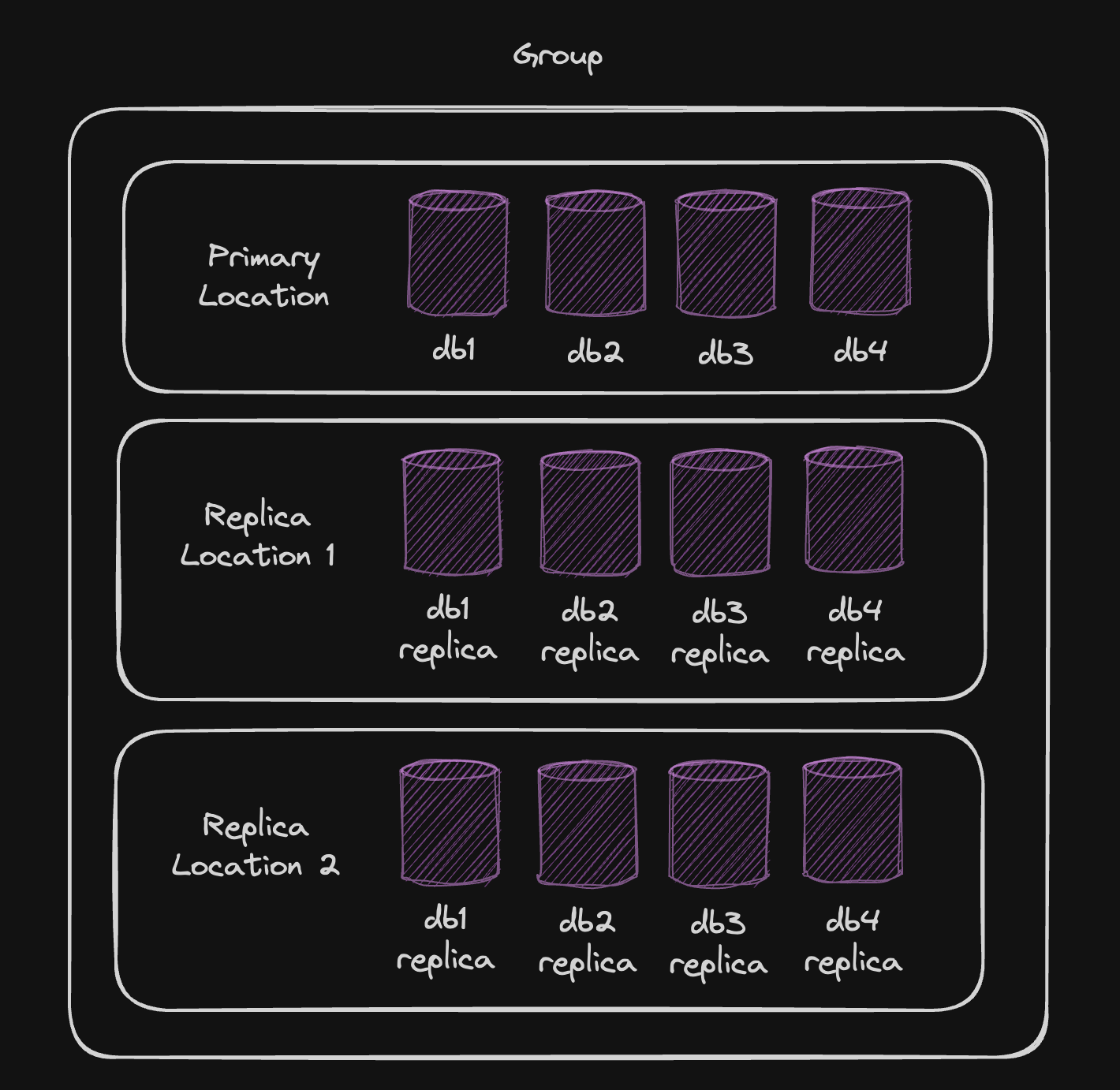
Turso optimizes data access with control over data storage and replication across global locations. Your databases form a group with a primary and optional replica locations, ensuring low latency. Turso handles synchronization automatically across its data edge.- Primary
- All databases have a primary location (region) where data is stored, and can’t be changed. You can configure the primary location for groups using the Turso CLI and Turso Platform API.
- Replicas
- Databases can be replicated to other regions closer to your users by adding more locations to the group your database belongs to.
Expand list of locations
Expand list of locations
| Code | Location |
|---|---|
ams | Amsterdam, Netherlands |
arn | Stockholm, Sweden |
bog | Bogotá, Colombia |
bos | Boston, Massachusetts (US) |
cdg | Paris, France |
den | Denver, Colorado (US) |
dfw | Dallas, Texas (US) |
ewr | Secaucus, NJ (US) |
fra | Frankfurt, Germany |
gdl | Guadalajara, Mexico |
gig | Rio de Janeiro, Brazil |
gru | São Paulo, Brazil |
hkg | Hong Kong, Hong Kong |
iad | Ashburn, Virginia (US) |
jnb | Johannesburg, South Africa |
lax | Los Angeles, California (US) |
lhr | London, United Kingdom |
mad | Madrid, Spain |
mia | Miami, Florida (US) |
nrt | Tokyo, Japan |
ord | Chicago, Illinois (US) |
otp | Bucharest, Romania |
qro | Querétaro, Mexico |
scl | Santiago, Chile |
sea | Seattle, Washington (US) |
sin | Singapore, Singapore |
sjc | San Jose, California (US) |
syd | Sydney, Australia |
waw | Warsaw, Poland |
yul | Montreal, Canada |
yyz | Toronto, Canada |
Groups
All databases are part of a “group”, dictating their primary storage location and replication across distinct VMs (locations), each capped at 100GB. This setup ensures databases share resources yet remain isolated.